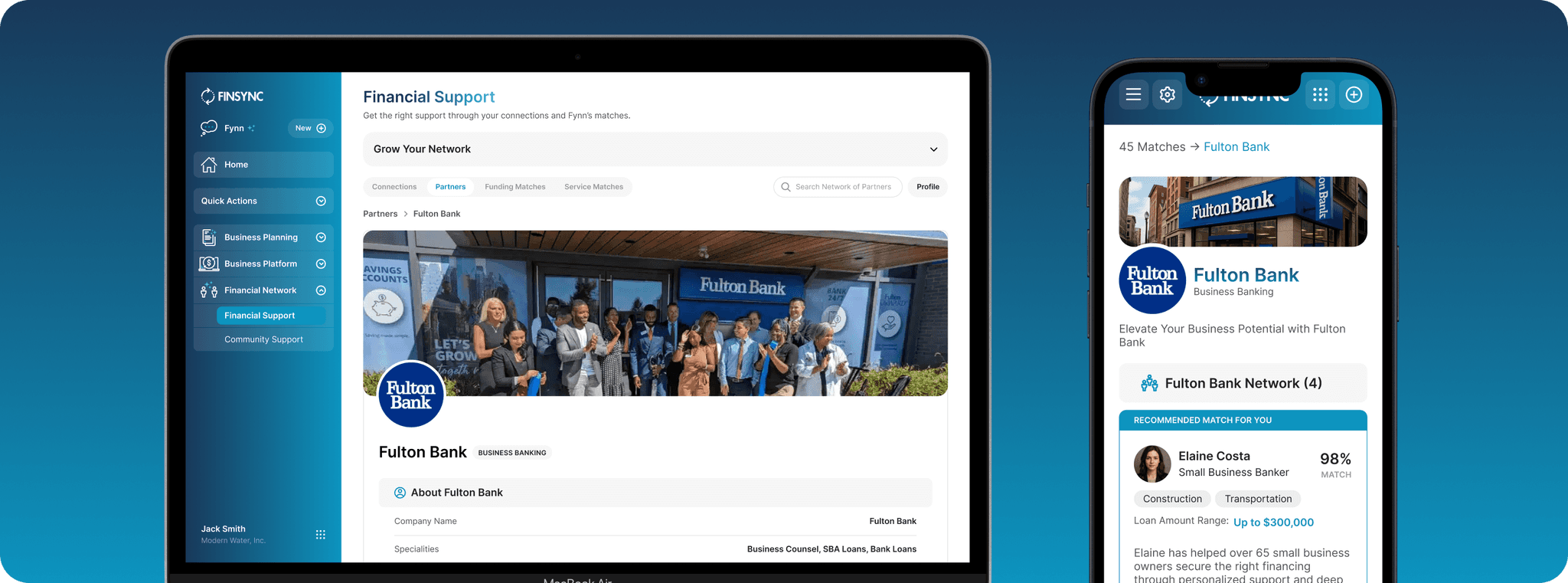
The FINSYNC Platform
FINTECH
UX/UI DESIGN
DESIGN SYSTEMS
Accounting, Payroll and More for Small Businesses
Roles & Responsibilities
User Research: Stakeholder Interviews, User Testing
UX Design: Sketches, Wireframing, UI Design, Design Systems
Project Context
Reported to head of design
2 designers, 5 engineers, 1 product manager
Tools Used
Figma
Figjam
Storybook
Full Story
FINSYNC is a Platform that provides financial management services for small businesses such as sending and receiving payments, accounting management, financial management, and payroll (think Quickbooks). While QuickBooks and other accounting software offer their customers banking, FINSYNC partners with banks as an additional offering ensuring they have an option that secures sustained customer retention.
THE PROBLEM
Inconsistency Leads to Confusion and Bad User Experience
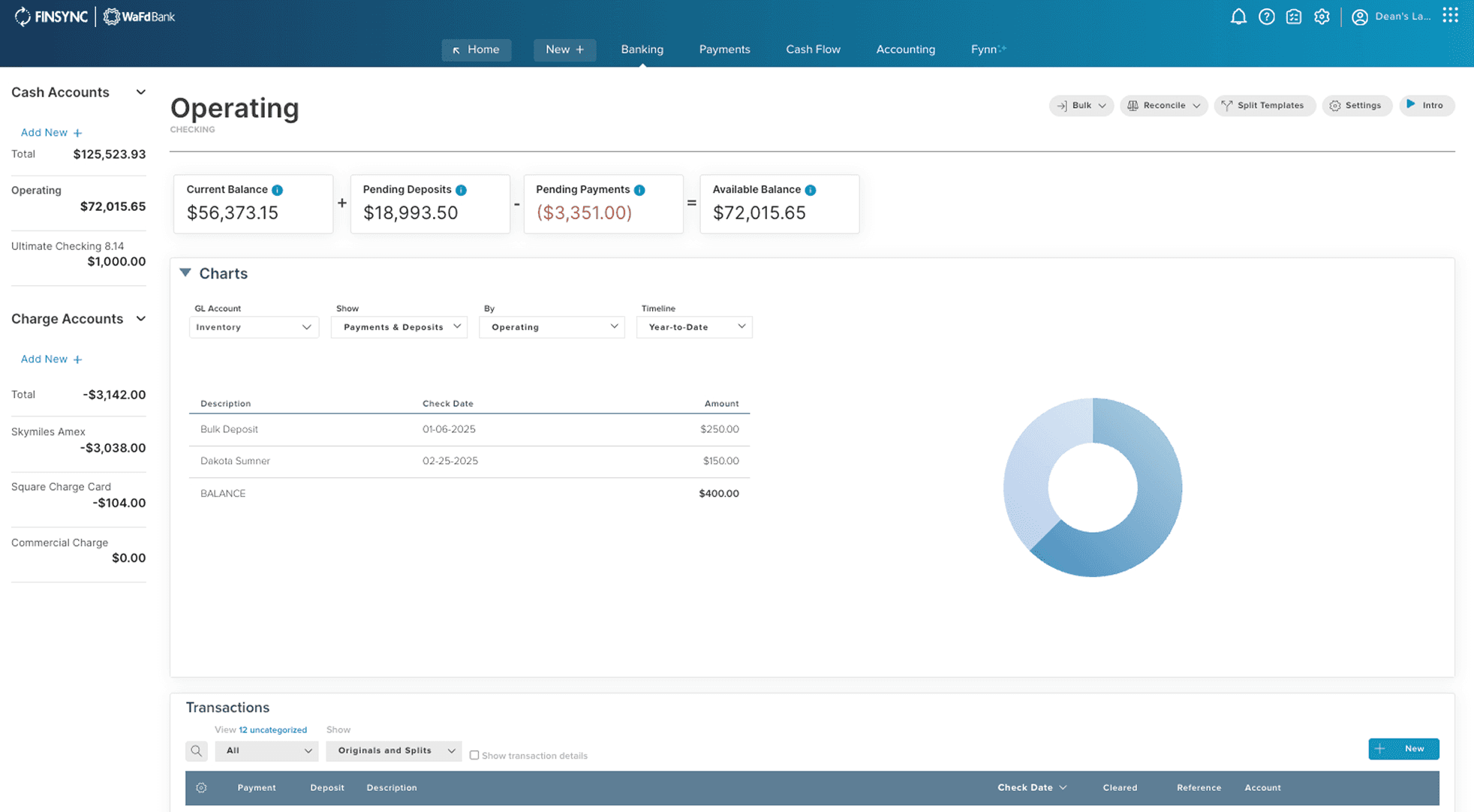
Working with customer support made it clear that the 10+ year old product had significant blockers that kept users from finishing key tasks. Churn patterns and FullStory data backed this up. The outdated navigation and inconsistent design no longer matched how users expect software to behave.
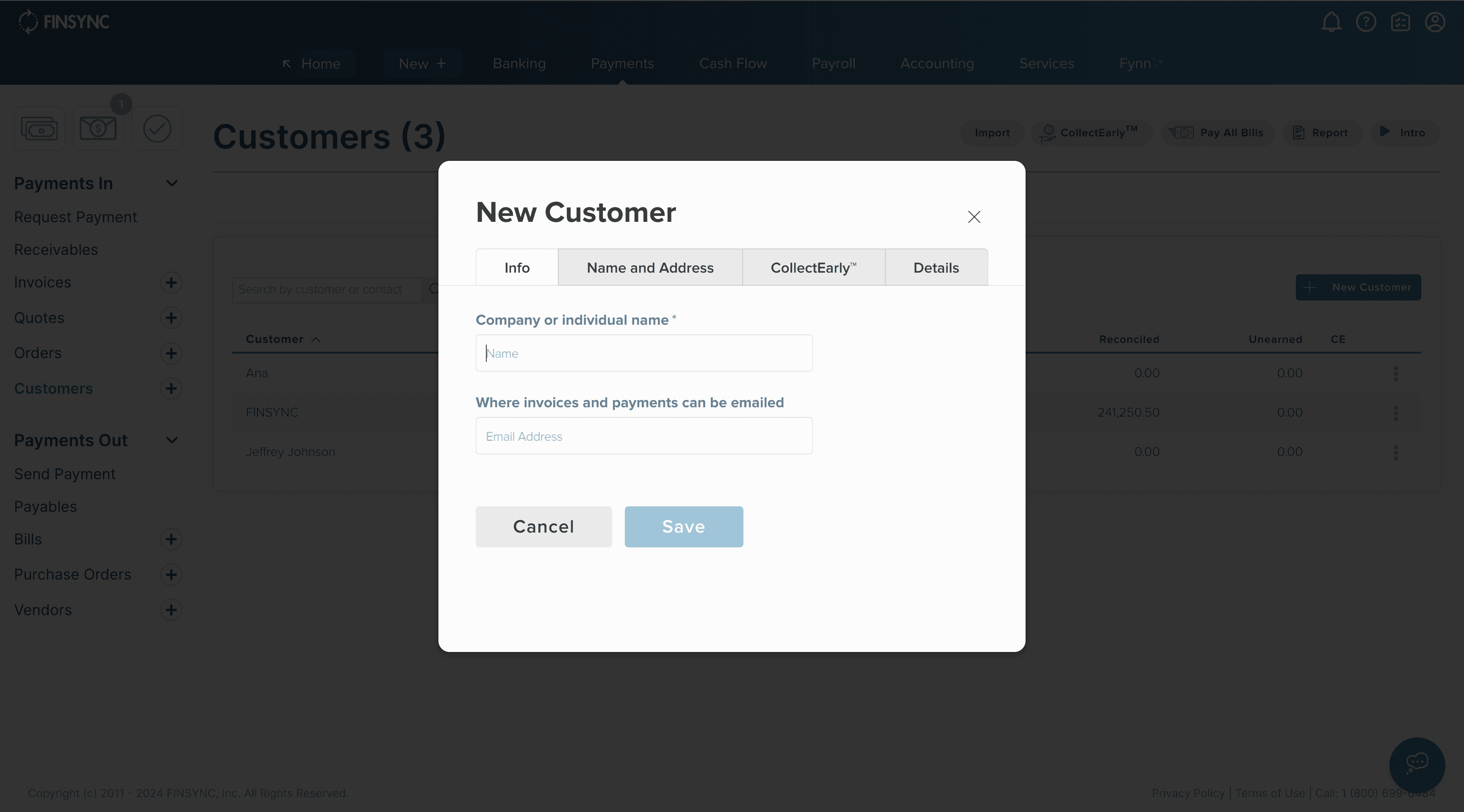
View of legacy product
THE SOLUTION
Scaling to Build Out a Design System Over Time
With limited resources, a ground-up rebuild wasn’t viable, so I focused on incremental modernization. Starting with no existing design system or design documentation, I created a new system that enabled the legacy interface to be retired piece by piece.
Alongside a newly onboarded Design Director, we developed a scalable, well-documented system that balanced engineering ease with the flexibility to support new embedded features thoughtfully built into our components for long-term product expansion.
INTERVIEWS AND USER TESTING
Listening, Learning, Refining
We talked to stakeholders, studied user behavior, and uncovered what people actually used the most. That clarity drove a mobile-first redesign and became the backbone of our design system. User testing then showed us exactly where to improve the experience.
ITERATION
Understanding Our Limitations and Course-Correcting
User testing and stakeholder interviews revealed insights that challenged our early assumptions:
Users spent less time on the dashboard than expected, jumping directly into detailed sections to get what they needed
Fewer than 15% used customized invoicing and payment features, leading us to remove them from mobile
Only 6% engaged with the Projects section, so we decided to phase it out to simplify the experience
INFORMATION ARCHITECTURE
Simpler Navigation Systems
Removing Redundancy
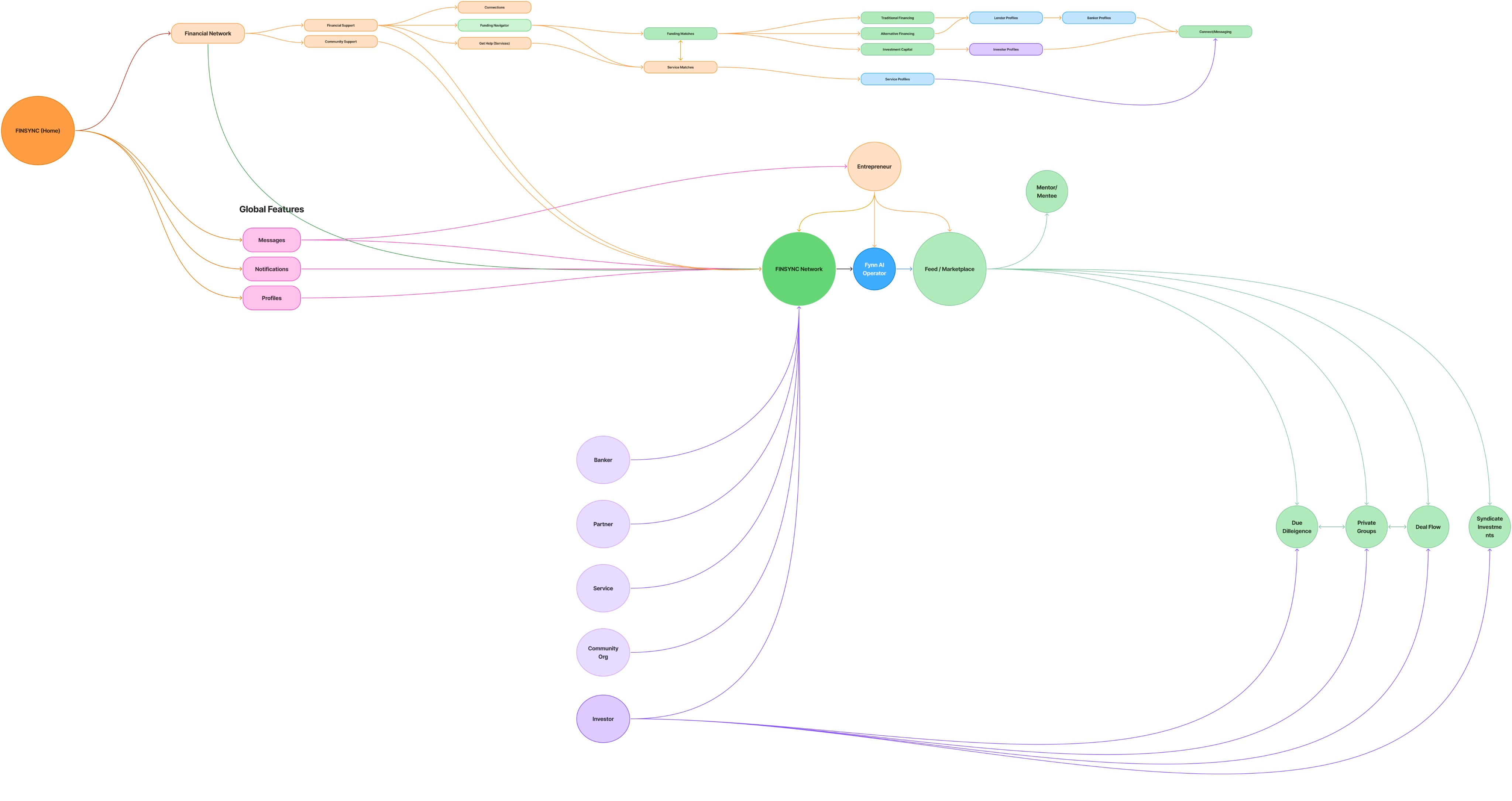
A deep review of the information architecture showed that users were constantly encountering repeated pathways to the same outcome. This added noise and made the product feel far more complex than it was.
Designing Focused Workspaces
We then explored new systems that separated processes with clarity. By isolating tasks into single, intuitive locations, we preserved functionality while reducing options and cognitive overload.
DESIGN PRINCIPLES
A guiding philosophy for our design decisions
Users needed a stronger sense of orientation, efficiency and trust in the platform’s security.
DESIGN PRINCIPLES
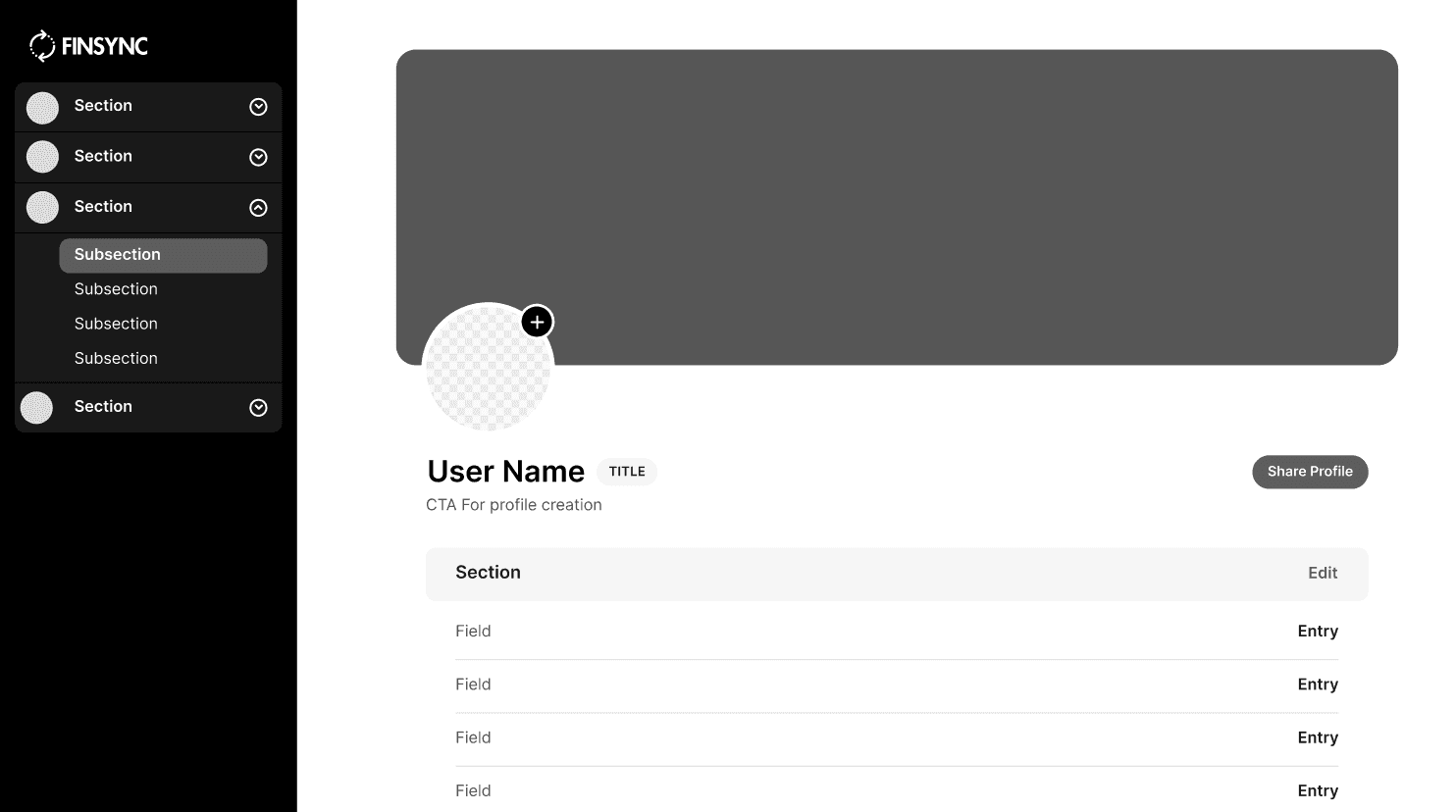
Orientation
Act → Analyze
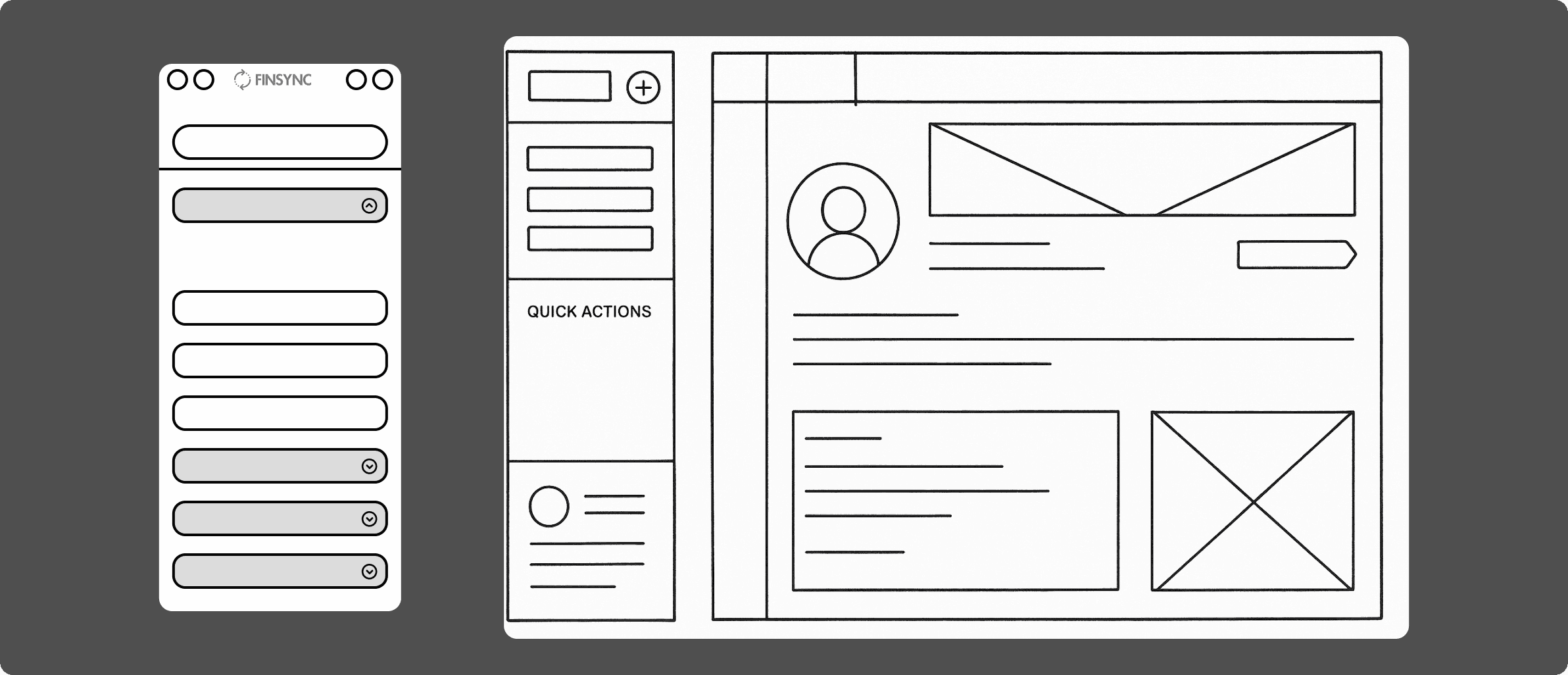
Users should always know what to do next. We shifted navigation to the left, creating a clear workspace on the right and a logical “Act → Analyze” flow, aligning with familiar SaaS patterns.

DESIGN PRINCIPLES
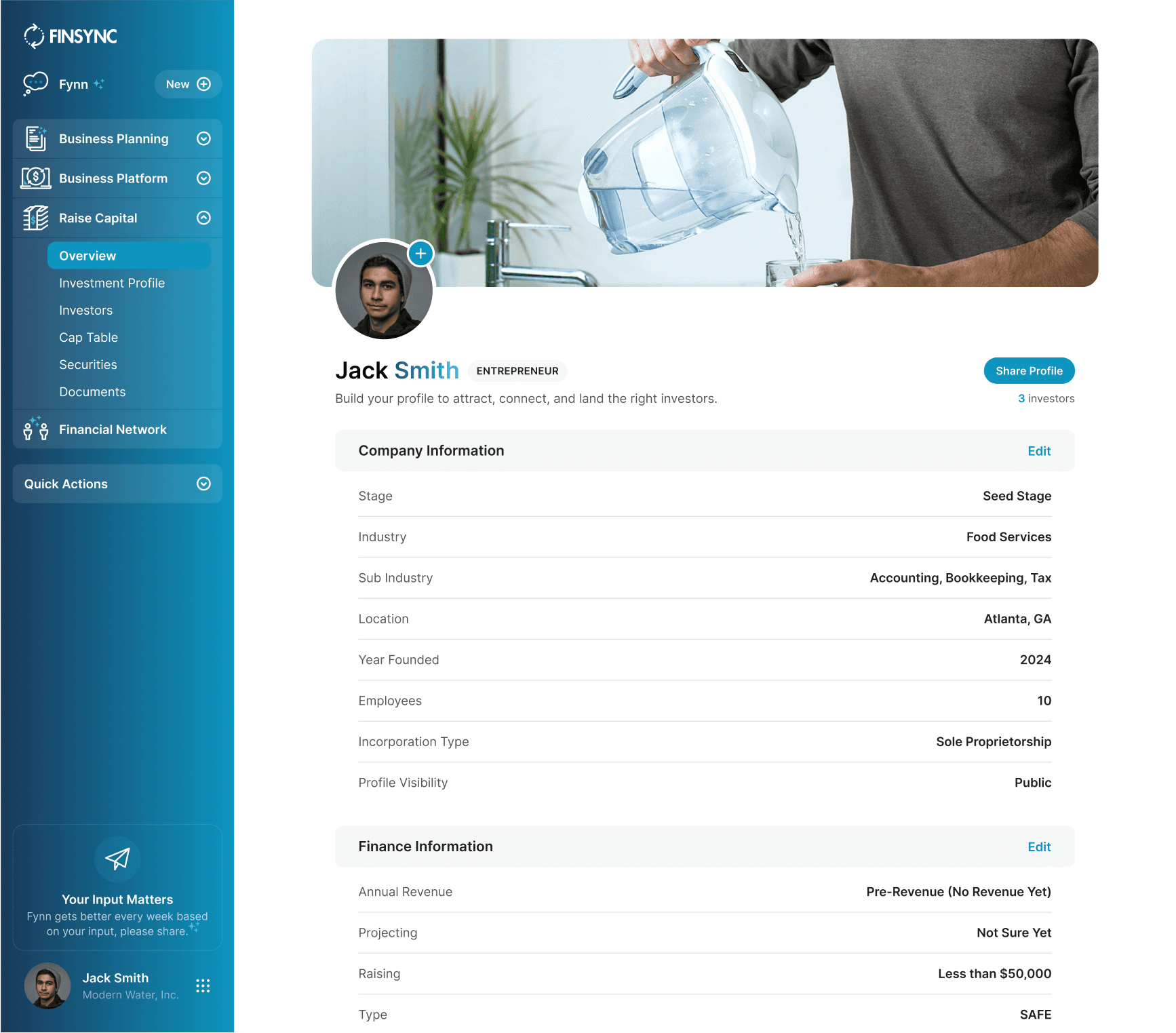
Efficiency
Cutting down on clicks
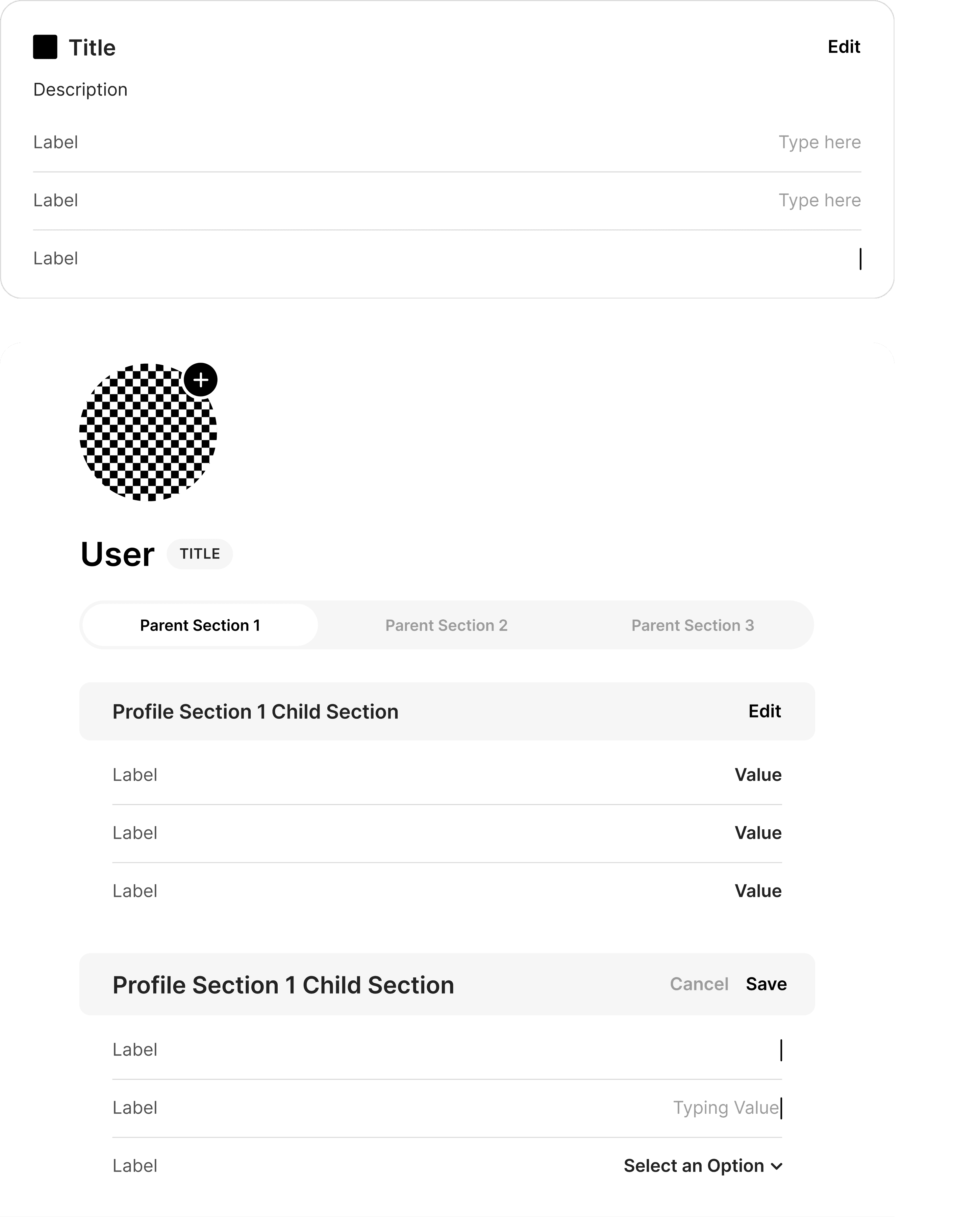
We streamlined actions by replacing tabs with inline editing. This reduced clicks and kept context visible. On mobile, drawers replaced screens to maintain the same seamless experience.
Company Information
Edit
Stage
Seed Stage
Industry
Food Services
Sub Industry
Accounting, Bookkeeping, Tax
Location
Atlanta, GA
Year Founded
2024
Employees
10
Incorporation Type
Sole Proprietorship
Profile Visibility
Public
DESIGN PRINCIPLES
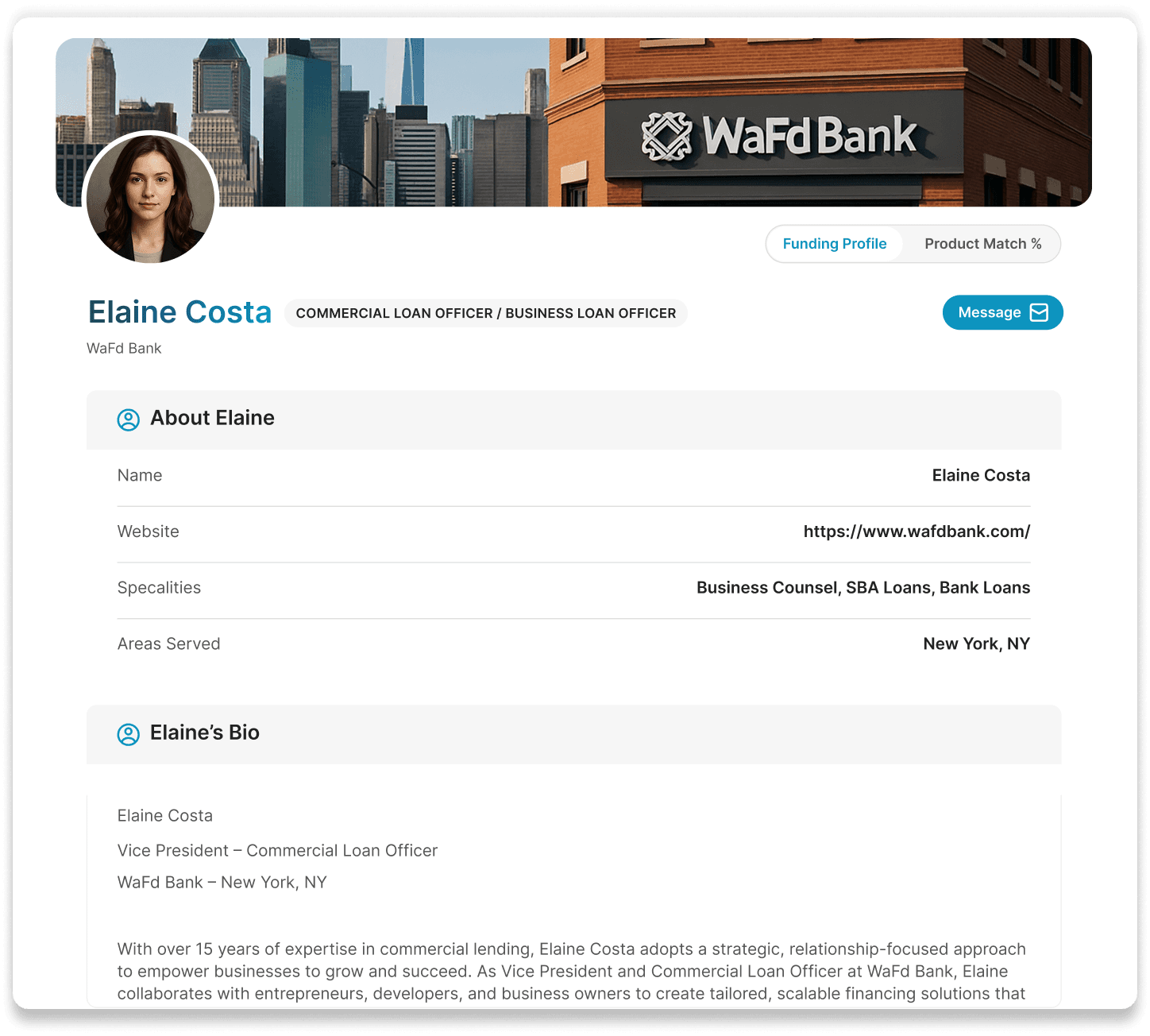
Personalization & Trust
Service beyond software
We aimed to help users connect directly with banks and trusted advisors—building not just a financial tool but a network of guidance and opportunity for pitching business ideas and loan proposals.
USER TESTING
Enhancing Navigation to Support Better Workflows
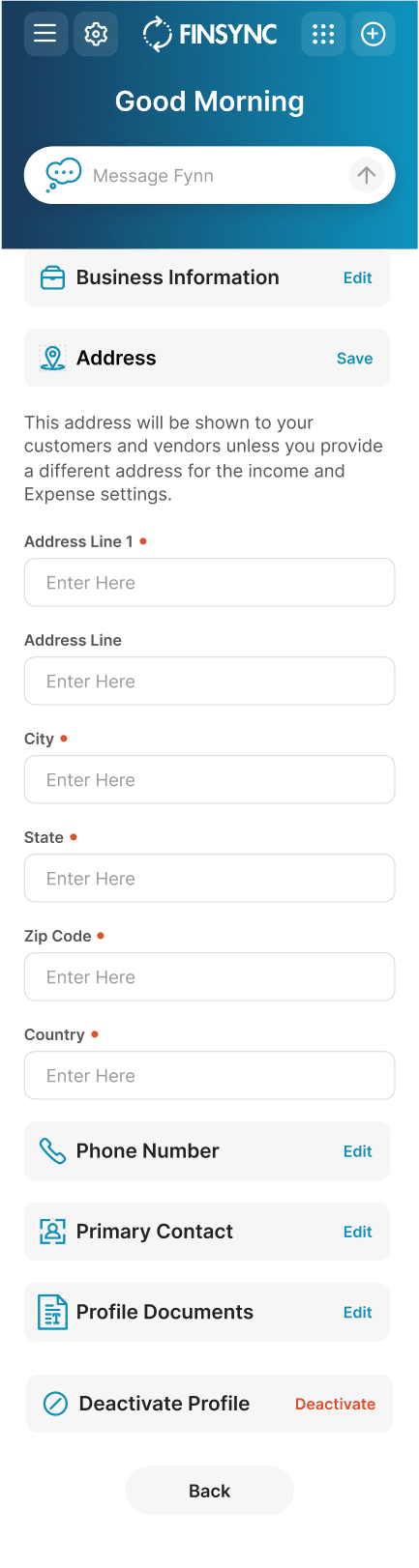
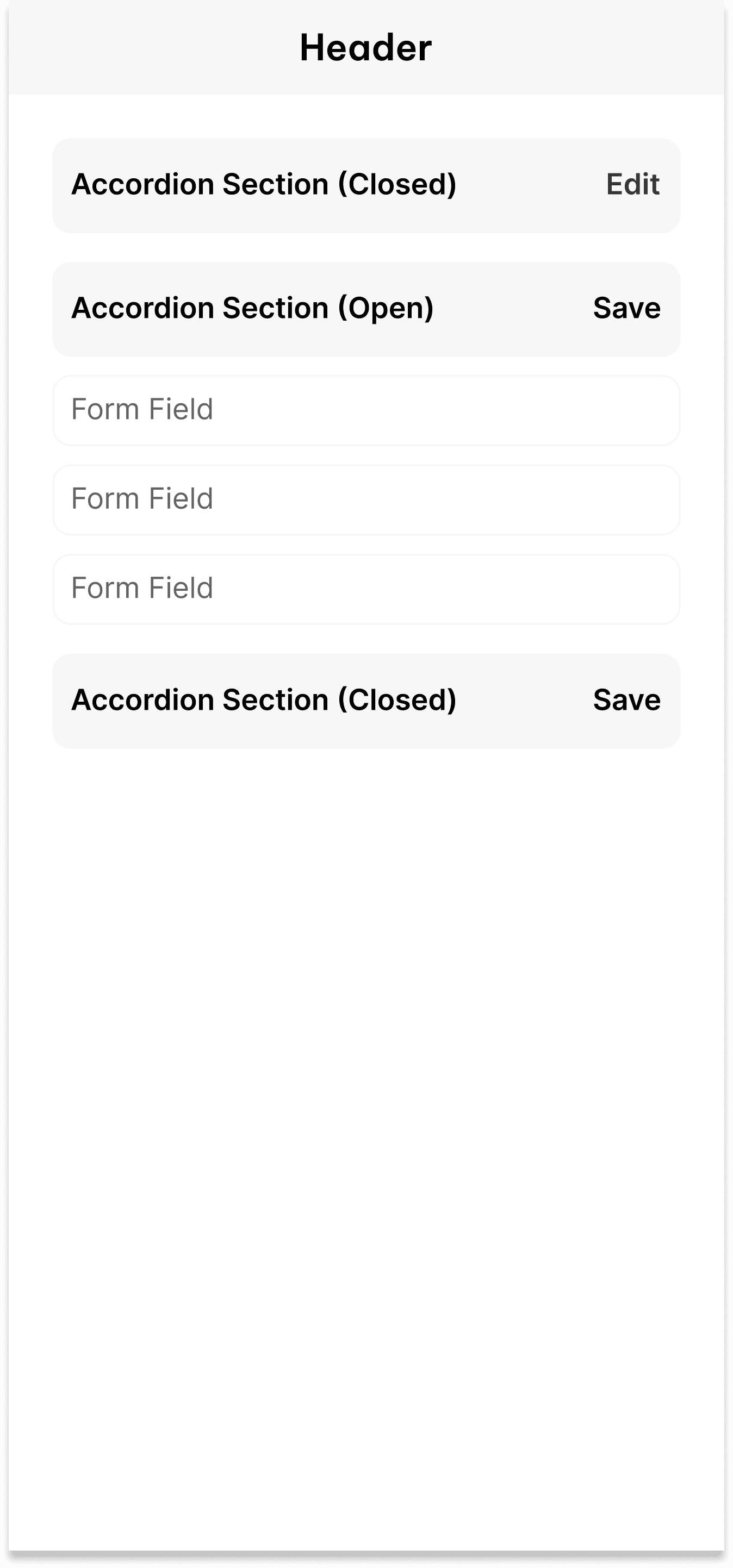
We tested multiple layout options to find a navigation model that was intuitive and scalable. A new left-hand accordion menu let us centralize navigation and free up a clean working area on the right. On mobile, accordion sections saved space and helped users reach what they needed faster.
DATA MANAGEMENT
Everything in One View
In addition to accordion buttons we experimented with new drawers added inline editing. These were a great solution to replace the tab-based modals that we had in place for a few reasons:
Inline editing took up less space and allowed for more visible sections on one screen
It allowed us to embed sections, making it faster for users to scan groups of categories
Right side anchored drawers enable users to continue to attend to left side content while a modal takes up the whole screen
Original tab-based data management
New in-line editing and mobile accordions
USER PROFILES
From Virtual Connections to Real-World Success
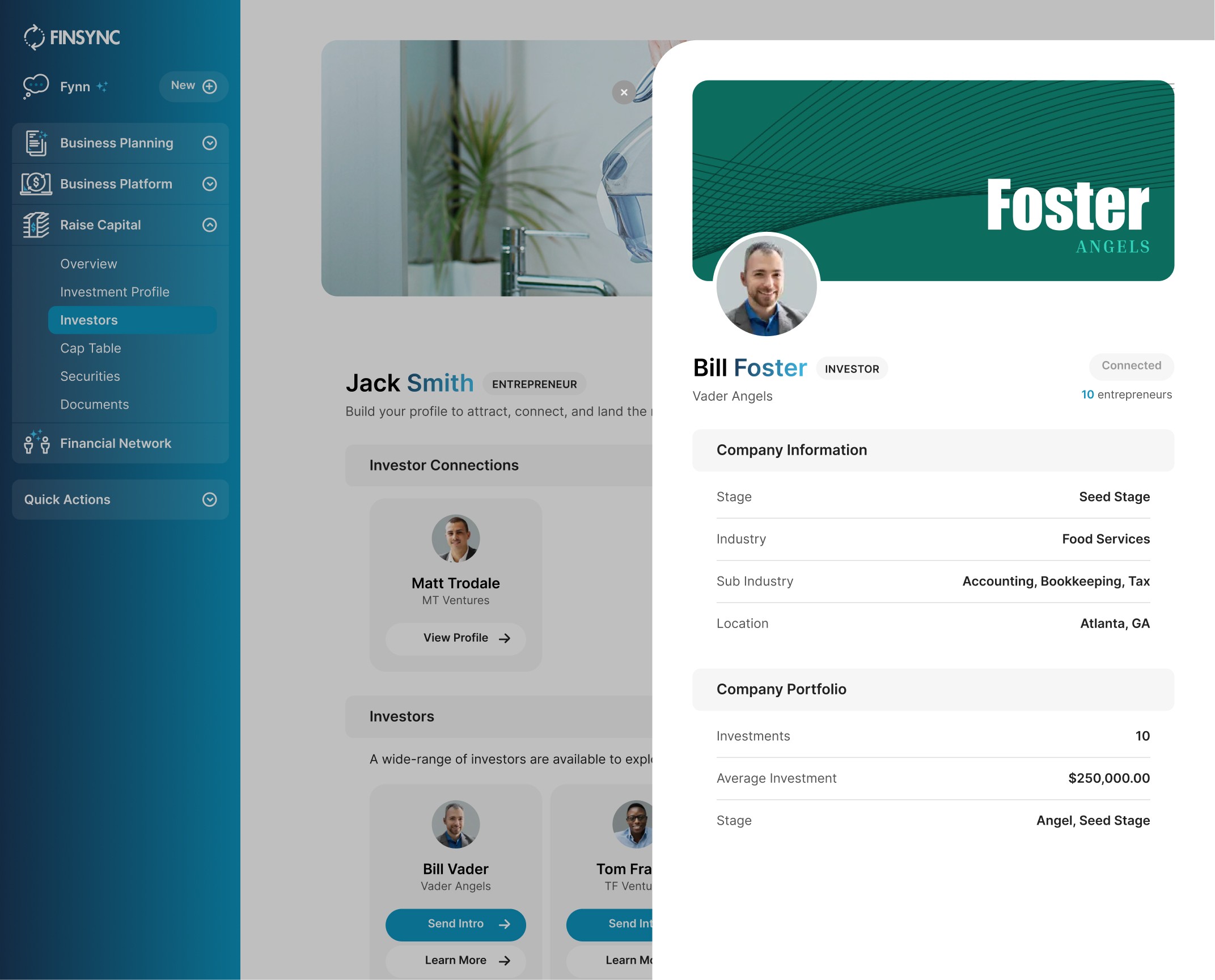
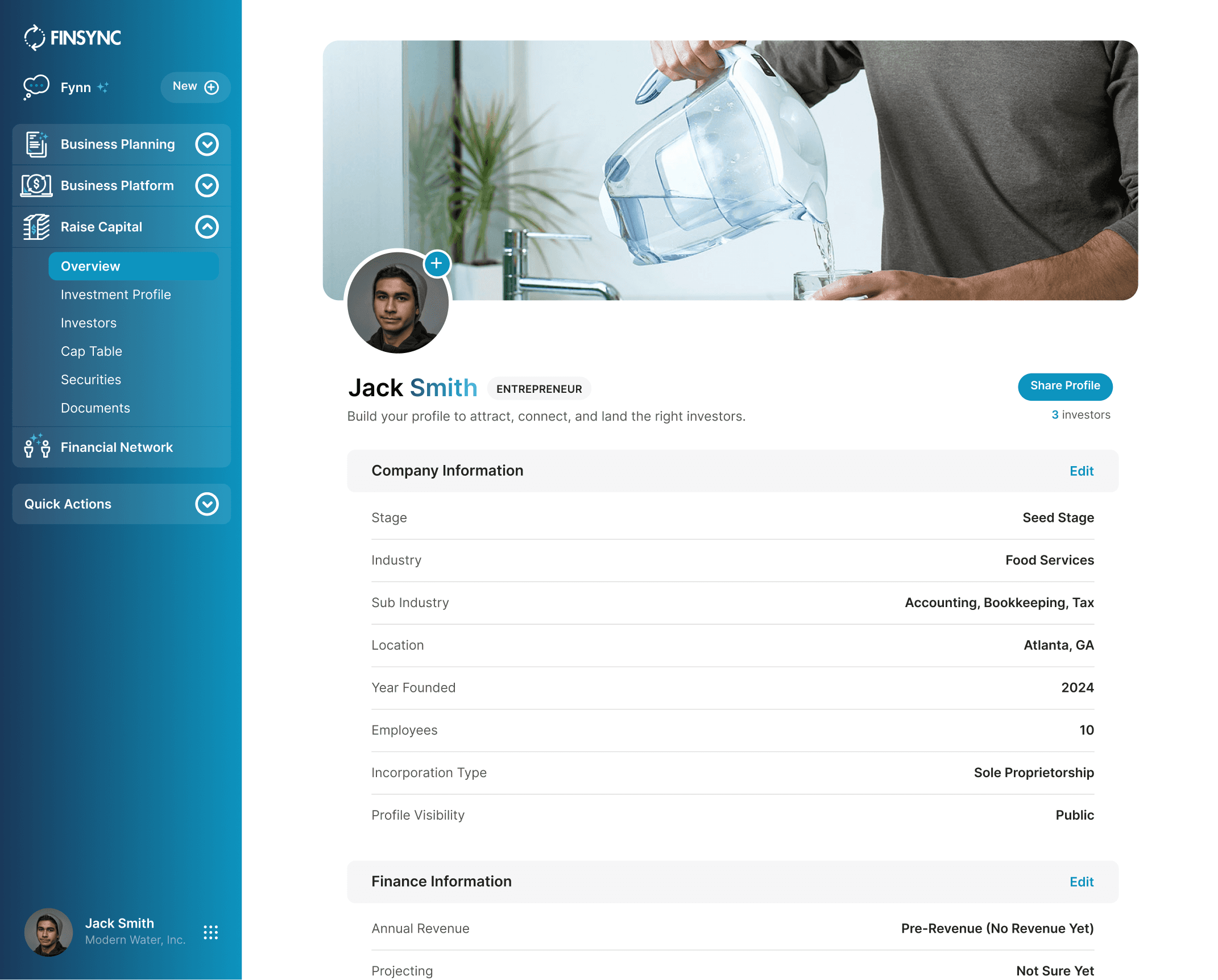
We wanted to give entrepreneurs the ability to showcase who they are and what they’re building. With mirrored drawer profiles, users on both sides to were able to see exactly how they were presenting themselves and build their profiles with clarity, confidence and ease.
WORK IN PROGRESS
Transformation Under Tight Constraints
In our first steps to migrate the legacy product into a new system we were able to meet our team's core design principles:
Results
Orientation: Customers were able to move faster. Key actions like sending payments and creating invoices were completed over 30%+ quicker across both desktop and mobile.
Efficiency: By retiring the tabbed layout, we reduced the profile-creation flow by more than 4 clicks and presented all sections together for easier completion.
Personalization and Trust: Enhanced profiles and automated matching led to a 50%+ increase in users completing their profiles to qualify for financing.
Takeaways
Every design should start with the basics: budget, timeline, and the bandwidth of teams you partner with. Without that, nothing gets built successfully.
Before passing work to engineering, everyone must be aligned. Sometimes that requires you to step in, gather stakeholders, and create the touchpoints needed to keep the team moving in the same direction.